Focuster Help
  • Welcome
  • General
    • Recurring Actions
    • Pinning Feature
    • About Action List
    • Schedule an action for today
    • Activity Bar
    • Set up a start time for a new action
    • Select the action duration from the list
    • How to delete my Focuster account?
    • Multiple Google Calendar Accounts
    • Do you have discounts for student or non-profits?
    • I can't see tasks from Focuster in my Google calendar
    • How to solve login problems
    • Why can't I see the recurring action icon?
    • iOS Beta App
    • How do I unsubscribe from Apple's TestFlight update notification emails?
    • What is Auto-Splitting?
    • Not scheduled actions
    • Is there a mobile app?
    • How far in advance can I plan?
    • What is Focuster and how it works
    • Settings
    • Integrations
    • About ToDo List
    • Add an action to your ToDo List
    • Add notes
    • Add #tags
    • Search
    • Multiple Lists: from chaos to clarity
    • 2-way Trello Integration
    • Time Blocking
    • Additional calendars: iCloud, Outlook and more
    • Autosplitting: break up long actions into smaller ones
    • Integrate your email with Focuster with Zapier
    • Todoist and Focuster integration
    • Blocking Time for Breaks & Meals
    • How to email tasks to Focuster
    • Calendar
    • Show/Hide Completed Items
    • Archive
    • Now View
    • Layout: Day, Multi and Weekly View
    • Notifications
    • Chrome Extension
    • Focuster Mobile
    • Zapier Integration
    • Completed Actions in Calendar
    • Auto Scheduling for Actions With Due Dates
    • Instant Calendar Scheduling
    • Hide your Todo list for better focus
    • Quick action entry
    • Focuster + Asana Integration
    • All updates
Working with Focuster
Now View

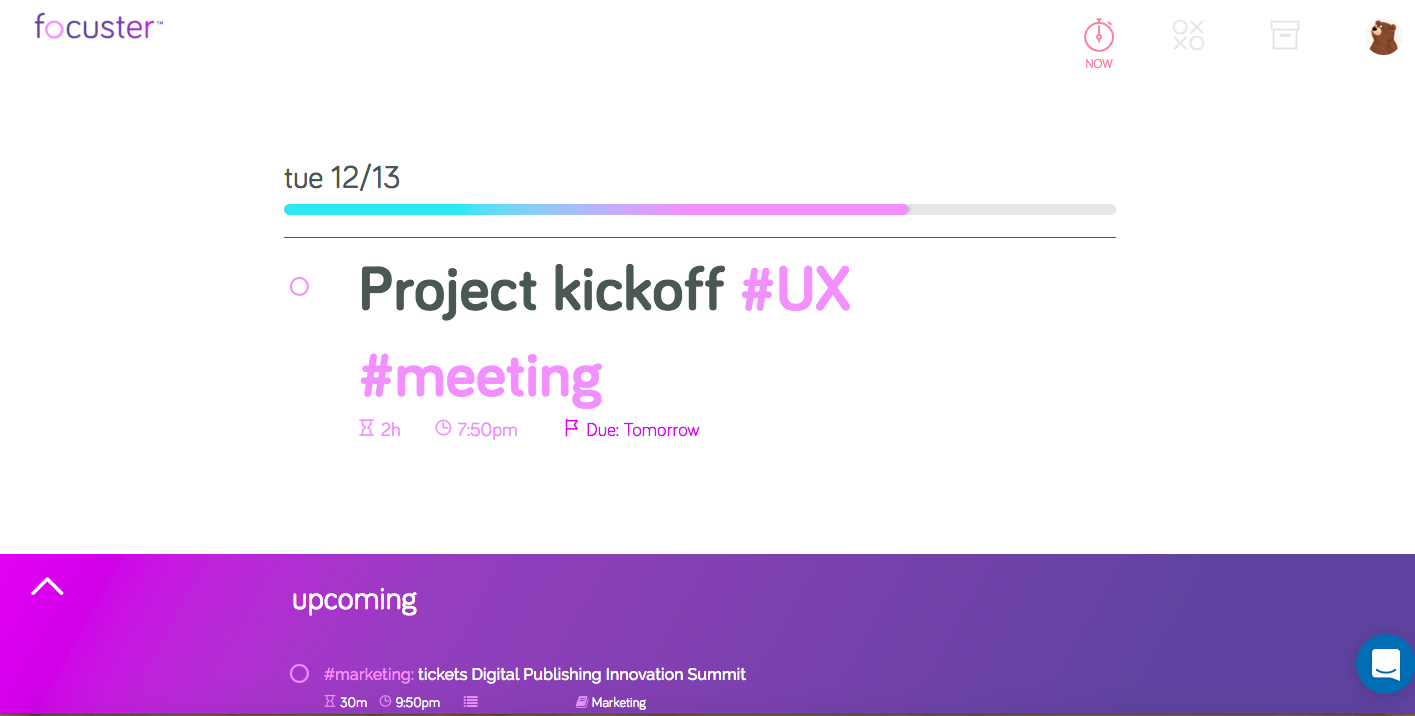
Focuster's Now View shows you this one the most important thing you should be focused on right now and the upcoming task. 
(opens in a new tab)

This helps to keep your focus on the current task and to avoid unwanted distracting thoughts regarding other tasks. 

You can also see a Now View every time when you open a new tab in Chrome with Focuster Chrome Extension (opens in a new tab).

ArchiveLayout: Day, Multi and Weekly View

© Focuster