Focuster Help
  • Welcome
  • General
    • Recurring Actions
    • Pinning Feature
    • About Action List
    • Schedule an action for today
    • Activity Bar
    • Set up a start time for a new action
    • Select the action duration from the list
    • How to delete my Focuster account?
    • Multiple Google Calendar Accounts
    • Do you have discounts for student or non-profits?
    • I can't see tasks from Focuster in my Google calendar
    • How to solve login problems
    • Why can't I see the recurring action icon?
    • iOS Beta App
    • How do I unsubscribe from Apple's TestFlight update notification emails?
    • What is Auto-Splitting?
    • Not scheduled actions
    • Is there a mobile app?
    • How far in advance can I plan?
    • What is Focuster and how it works
    • Settings
    • Integrations
    • About ToDo List
    • Add an action to your ToDo List
    • Add notes
    • Add #tags
    • Search
    • Multiple Lists: from chaos to clarity
    • 2-way Trello Integration
    • Time Blocking
    • Additional calendars: iCloud, Outlook and more
    • Autosplitting: break up long actions into smaller ones
    • Integrate your email with Focuster with Zapier
    • Todoist and Focuster integration
    • Blocking Time for Breaks & Meals
    • How to email tasks to Focuster
    • Calendar
    • Show/Hide Completed Items
    • Archive
    • Now View
    • Layout: Day, Multi and Weekly View
    • Notifications
    • Chrome Extension
    • Focuster Mobile
    • Zapier Integration
    • Completed Actions in Calendar
    • Auto Scheduling for Actions With Due Dates
    • Instant Calendar Scheduling
    • Hide your Todo list for better focus
    • Quick action entry
    • Focuster + Asana Integration
    • All updates
To-do List
Add #tags

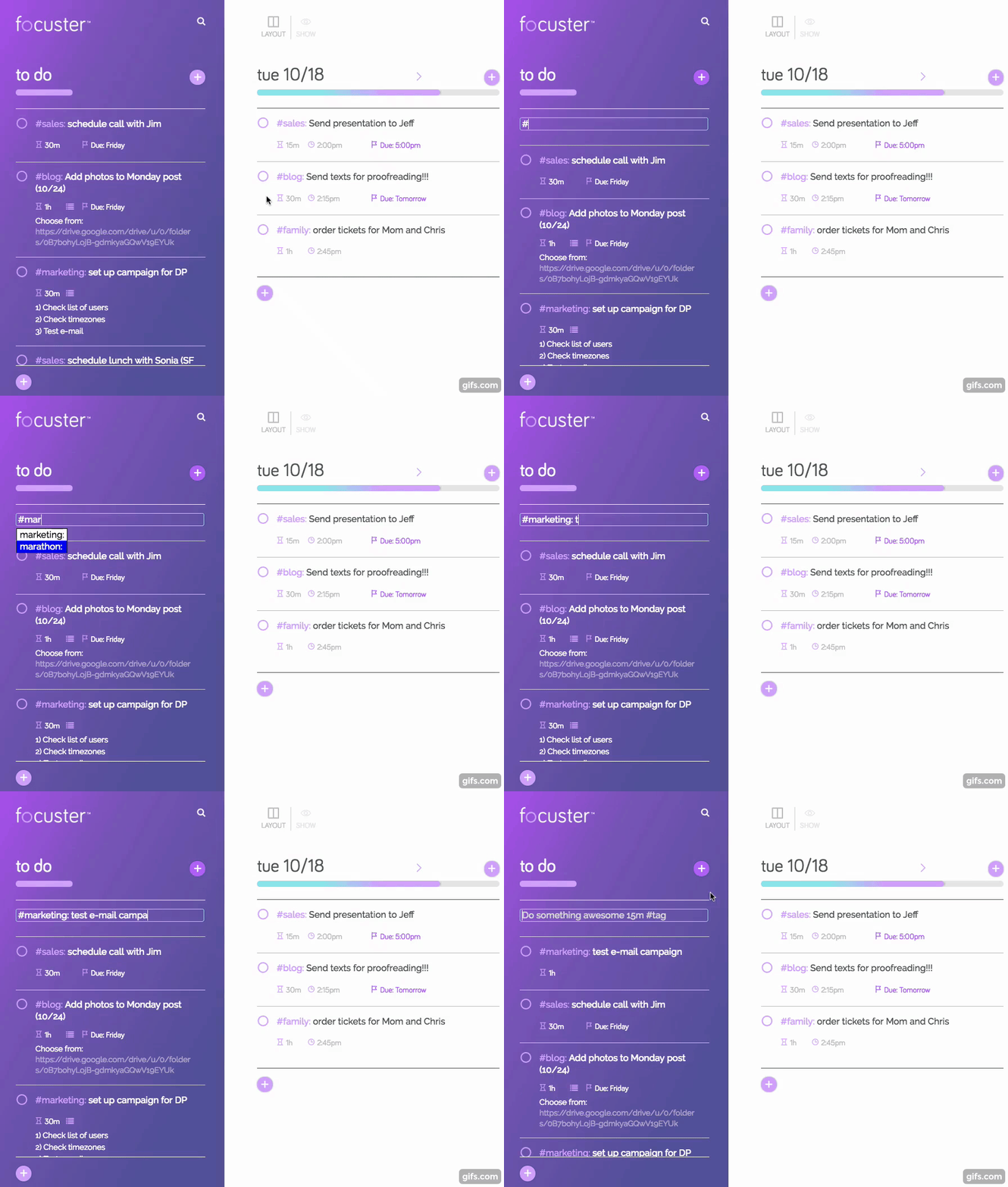
You can filter your actions by creating separate lists (opens in a new tab) in you Todo or you can add #tags.

Save time on adding tags to your actions with Focuster tags auto-completion. Just start typing a tag name and accept a suggestion based on your existing tags.
(opens in a new tab)

Add notesSearch

© Focuster